Weekly Budget Template: Plan Around Your Paycheck
Weekly budget template: plan this week's income, bills, and spending in four lines. Match your plan to a paycheck and see what's left before next week begins.
By Ultimate Budget Planner by Cosmo Suite · Editorial policy
Published · 9 min read

General information, not financial advice.
You can have a balanced monthly budget and still feel unsure about the next seven days. A bill may be due before the next check. Groceries, fuel, and a school expense may all come from the same deposit. A weekly budget template makes that short window visible, so you can plan from money that is available and bills with real due dates.
You do not need a long list of tiny categories. Start with four useful lines, check the plan against your paycheck, and update it as the week unfolds. If you want one file with both monthly and paycheck views, the budget spreadsheet for planning categories and paydays can hold the larger picture beside the weekly check-in.
Key Takeaways
- Begin with the amount available for the week, not an annual or monthly average.
- Put bills due before the next payday ahead of flexible spending.
- Use four broad lines and check planned amounts against actual spending.
- Carry any remaining balance into the next week only when it is still available after bills and goals.
A Weekly Budget Tracks Timing as Well as Totals
A weekly budget helps answer what this week's money needs to cover before the next planned payday. It can make cash timing easier to see than a monthly total, especially when bills and paydays fall on different dates.
A cash-flow budget is a weekly plan for matching available money with the bills and expenses due.
That does not make a weekly view a substitute for a monthly plan. Rent, insurance, and other recurring bills may be paid once a month, while groceries and fuel happen every week. A weekly template should show which monthly bills are due soon and how much is set aside for them. Otherwise, a week can look free of bills while the month's largest payment is still approaching.
The Consumer Financial Protection Bureau's cash-flow worksheet tracks income and expenses week by week. It carries a week's ending balance into the next week's starting balance. Its instructions say to track income, resources, and expenses for at least one month before building the cash-flow budget. After bills and planned spending, what remains is the amount available for your next decision.
For a wider view, the budget spreadsheet overview explains how monthly planning and a paycheck view fit together. Use the weekly view for the near-term question, then return to the month when you need the full set of bills and categories.
Weekly Budget Template: The Decision Table
Choose a weekly setup based on how often money arrives and which costs need attention before the next check.
| Your situation | Useful weekly view | Check before the week starts |
|---|---|---|
| Paid every week | One plan per deposit | Does it cover bills due before the next check? |
| Paid every two weeks | One paycheck period with two weekly check-ins | Which bills fall in each week of the period? |
| Monthly bills with weekly pay | A weekly amount reserved toward each due bill | Will the full bill be ready by its due date? |
| Spending varies week to week | Planned, actual, and remaining for broad categories | Which amount can change if the week costs more? |
The template should reduce guesswork. If you must keep rebuilding it or translating every monthly bill from scratch, simplify the categories and record only the details that change a decision.
The Worked Month
The table below uses a hypothetical weekly take-home deposit of $840. It is an example for showing the cash-flow arithmetic, not a typical paycheck or a spending target. “Money out” is the planned amount for that week. Any unspent amount remains available only if it is not needed for a later bill or goal.
| Money in | Money out | Left |
|---|---|---|
| Week 1: $840 | $710 planned bills and spending | $130 |
| Week 2: $840 + $130 carried forward | $760 planned bills and spending | $210 |
| Week 3: $840 + $210 carried forward | $800 planned bills and spending | $250 |
| Week 4: $840 + $250 carried forward | $810 planned bills and spending | $280 |
| Month total: $3,360 | $3,080 planned | $280 |
Each row starts with that week's deposit plus the previous week's remaining balance. The four planned outflows add to $3,080. Across four deposits, the plan leaves $280 at month end. This is a simplified example. If your month has a fifth payday, an irregular deposit, or a large bill, add it by its actual date rather than assuming every month follows four equal weeks.
Put Four Useful Lines on the Page
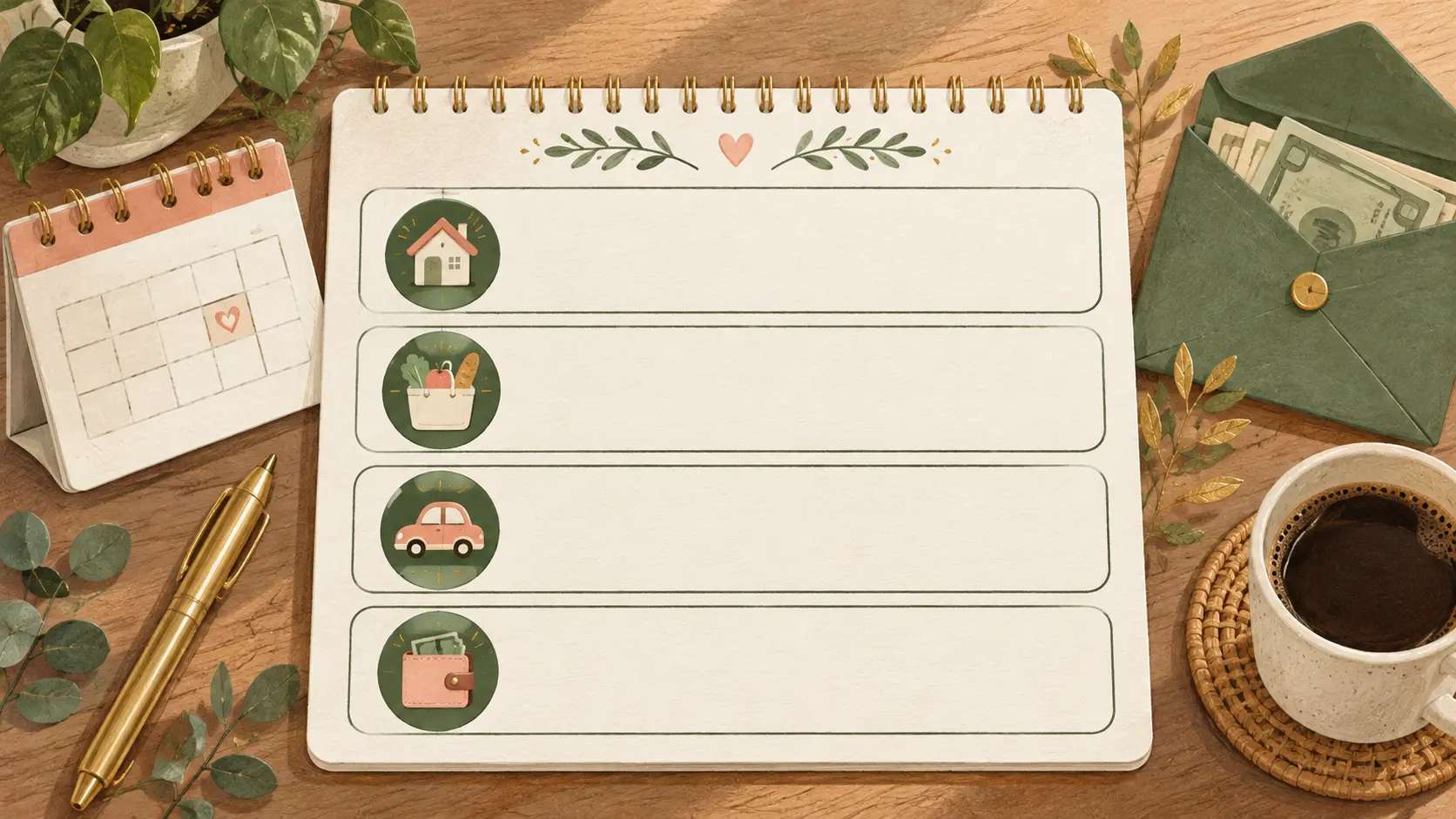
Four lines give you enough structure to place the week's money without turning a simple check-in into bookkeeping. Choose labels that match your household and keep the same labels from one week to the next.
| Weekly line | What belongs here | Example planned amount |
|---|---|---|
| Bills due and reserves | Bills due before payday, plus money reserved for a later monthly bill | $380 |
| Food and household | Groceries and household supplies | $150 |
| Transportation | Fuel, transit, or other planned travel costs | $80 |
| Flexible and goals | A small goal contribution and spending that can change | $100 |
| Total planned | $710 |
These four figures match the Week 1 plan above and are illustrative. The first line is not a new bill; it can include a portion set aside for a later bill. If you already reserve for rent in another place, do not count the same amount twice.
The MyMoney.gov spending guidance recommends setting maximum amounts by week or month and tracking spending over time. That supports keeping a weekly cap visible. It does not say which dollar amount is right for you. Use your own bills, pay stub, and priorities to set the numbers.
Keep Monthly Bills Visible in a Weekly Plan
A monthly bill still needs a monthly amount by its due date, even when you check your budget weekly. Write down the due date and decide how much of the next paychecks will go toward it. The key is to keep the reserve visible until the bill is paid.
For example, if a bill is due in the next week, put its full payment in “Bills due.” If it is due later, put the amount you plan to set aside in “Bills due and reserves.” Do not subtract the same reserve again when you reach the due week. Move it from reserved to paid, or label it clearly in your notes.
Consumer.gov's budgeting guide suggests gathering bills and pay stubs, listing expenses, and comparing them with income. Its standard budget worksheet works by month. A weekly plan adds a shorter timing check to that process. You can use the monthly numbers to find recurring costs, then assign each week's portion based on when money arrives and the bill is due.
If rent is the bill putting pressure on the week, this rent-to-income guide looks at the monthly amount and paycheck timing together.
If the weekly remainder looks positive but a monthly bill is not funded, the money is not all flexible. Mark the portion already promised to that bill before deciding what is left to spend.
Match the Plan to the Paycheck That Funds It
Start the week with money that has arrived or a deposit you can reasonably plan around, then list bills due before another deposit. If you get paid weekly, a dashboard or spreadsheet set to weekly can organize that cycle. If you get paid every two weeks, keep both weeks connected to the same check.
The dates matter as much as the category totals. A paycheck expected Friday cannot cover a bill due Wednesday unless you already have money set aside. Put the check date and bill date beside the amounts. If a date moves, update the plan instead of leaving the old schedule in place.
The Ultimate Budget Planner includes paycheck cycles for weekly, biweekly, semi-monthly, or custom schedules. Set the dashboard to the schedule you use, then compare each pay period with the monthly budget. A weekly plan is a way to look at the near-term portion; it should not imply that a biweekly paycheck arrives every week.
Track Actual Spending Before the Week Ends
Check actual spending against the four planned lines while there is still time to respond. A short check midweek can show whether groceries or transport are using more than planned. At the end of the week, record the remaining balance and decide whether it carries forward or already has a job.
| Line | Planned | Actual | Remaining |
|---|---|---|---|
| Bills due and reserves | $380 | $380 | $0 |
| Food and household | $150 | $132 | $18 |
| Transportation | $80 | $64 | $16 |
| Flexible and goals | $100 | $72 | $28 |
| Total | $710 | $648 | $62 |
This is another hypothetical view of the same $710 plan. The $62 remaining is the difference between the planned and actual amounts. Before moving it forward, confirm it is not part of a bill reserve, savings goal, or other commitment.
If one line is over plan, record the difference and choose what changes. You might reduce flexible spending later in the week or move an amount from another category. Do not silently raise every limit. The Excel budget template options can help if you are deciding which format or structure suits your routine.
When a Weekly Template Is the Wrong View
A weekly template is not useful for every question. Use a monthly view when you need to compare all recurring bills, estimate the month's total, or plan a goal that spans several months. Use a cash-flow view when the order of deposits and due dates is the problem.
Irregular income can make one fixed weekly number misleading. Start with the money actually received, list the costs due before the next likely deposit, and revise when income arrives. If you use an estimate, mark it as an estimate and make a second plan for a smaller deposit.
You also do not need four lines if a more detailed list helps you. The point is to keep the plan usable. Add a category when it helps you choose or track something. Combine categories when the detail is not changing a decision.
What Makes a Weekly Budget Easier to Keep
A weekly plan works best when the review fits into a routine you already have. Choose the same day to check bills, look at the next deposit, and record recent spending. Keep the process short enough that you can repeat it.
- Start with dates. List the next payday and bills due before it.
- Use the same four lines. Change a label only when it makes the plan clearer.
- Record actuals as they happen. A quick note prevents the end-of-week total from becoming a guess.
- Give the remainder a job. Carry it forward, assign it to a bill, or keep it flexible, but decide before spending it again.
The CFPB's cash-flow worksheet carries the week's ending balance into the next week. That can make a small remainder part of the next week's starting amount, while keeping the plan tied to money that is still available.
A zero-based budget assigns more detail to each dollar if four broad weekly lines are not enough for your plan.
If you want the weekly check-in beside monthly totals, the paycheck dashboard in the budget planner gives you both views in one file.
Why Trust This Article
We are the Cosmo Suite team that built the Ultimate Budget Planner spreadsheet. This guide draws on the CFPB's cash-flow worksheet, MyMoney.gov's spending guidance, and Consumer.gov's budget steps. The $840 deposits and expense examples are hypothetical arithmetic, not survey results or recommended amounts. We checked the linked sources on 31 October 2026. Match any weekly plan to your actual bills and pay dates.
Where the Ultimate Budget Planner Fits
The Ultimate Budget Planner is a budget spreadsheet with monthly and paycheck views. Its paycheck dashboard can be set to a weekly, biweekly, semi-monthly, or custom pay schedule, and it is available for Excel and Google Sheets. If you want to work from a ready-made file, the budget tracker spreadsheet gives you a place to organize the categories and check the plan.
You still choose the amounts and enter or update spending yourself. The file does not connect to your bank or make spending decisions for you. A notebook or a simple spreadsheet can use the same four-line method; the useful part is matching planned amounts to your paycheck and keeping the due dates in view.
If you use Google Sheets, the Google Sheets budget template examples can help you compare layouts. Use the weekly plan for the next set of dates, then return to the monthly view to check the full set of bills.
Frequently asked questions
How do I make a weekly budget?
Use the money available for the week, including any balance you have decided to carry forward. List bills due before your next payday, then essentials, goals, and flexible spending. Subtract the plan from the available amount and record actuals as you spend.
What should a weekly budget template include?
A useful weekly template tracks money available that week, bills due before the next payday, everyday essentials, and flexible or goal spending. Planned, actual, and remaining columns help you see whether the week is following the plan.
Is it better to budget weekly or monthly?
Weekly works well for near-term cash timing; monthly works better for recurring bills and full-month totals. If both questions matter, use a weekly check-in alongside a monthly view.
How do I budget weekly when rent is monthly?
Keep the monthly due date visible and set aside enough from earlier paychecks to cover it. A consistent amount from each weekly check can work if the total is ready by the due date. Keep that reserve out of flexible spending.
Can I use a weekly budget if I get paid every two weeks?
Yes. Keep both weeks attached to the same deposit, or check the plan weekly without assuming another deposit arrives. Review which bills fall before the next paycheck.
How often should I update a weekly budget?
Update it when a deposit lands and as bills or purchases happen. A brief check before payday shows what remains, what changed, and whether the next week's plan needs an adjustment.
Sources
Keep reading
Budget Templates
Budget Spreadsheets That Fill Themselves In (Matched to How You Get Paid)
Budget spreadsheet setup for any pay schedule: one transaction list feeds the month, paycheck view, bill calendar and yearly totals, shown on a $3,900 month.
· 9 min read
Budget Templates
Excel Budget Templates Compared: Free Options and a Year-Long Layout (2026)
Excel budget template options compared: Microsoft's free gallery, Vertex42, Tiller and ours, plus a worked $3,900 month and five checks for a file that lasts.
· 7 min read
Budget Templates
Budget Template for Couples: Split Shared Costs Fairly
Build a budget template for couples that separates shared bills, personal spending and savings goals, with a worked month for two different incomes.
· 9 min read
