Lifestyle Inflation: Where a Raise Can Go
Lifestyle inflation can absorb a raise through small recurring costs. See an illustrative $300 monthly raise split and a simple budget check.
By Ultimate Budget Planner by Cosmo Suite · Editorial policy
Published · 9 min read
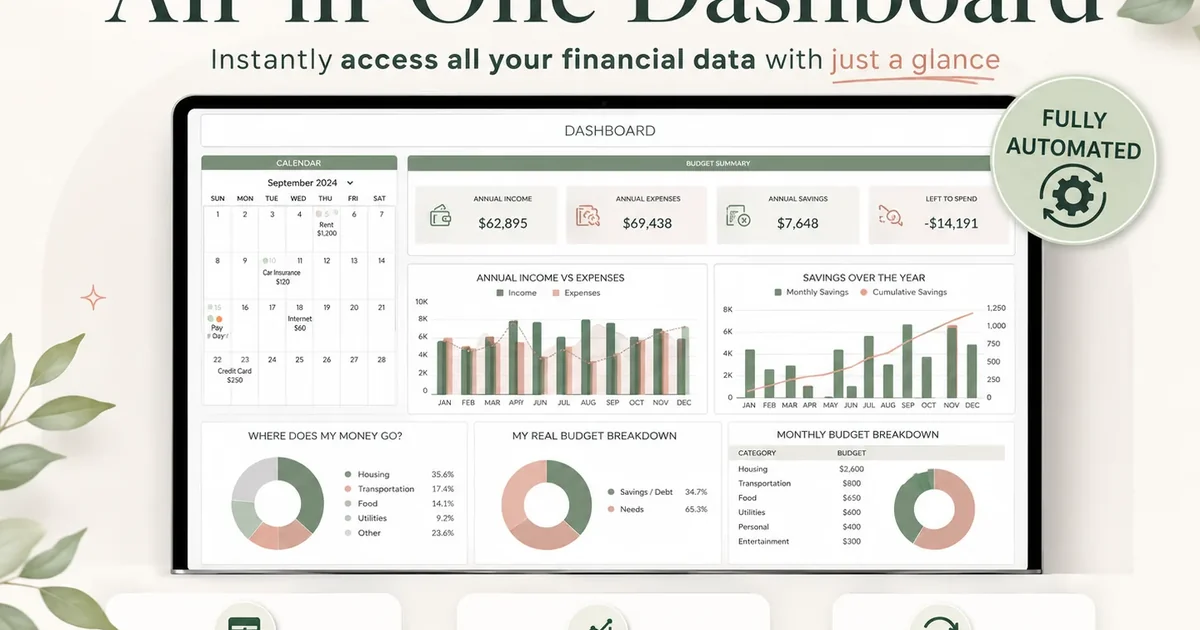
General information, not financial advice.
A raise can arrive as one bigger deposit, then disappear into changes that barely register: a few more meals out, a higher phone plan, or a monthly service you forgot you added. The bills get easier to cover, but the amount left at the end of the month looks familiar.
Lifestyle inflation is the name for that pattern. A raise can make room for an upgrade you value. The useful check is how much of the increase you meant to spend, how much supports your plans, and how much is going to costs you never chose deliberately. A budget workbook for comparing planned and actual spending can make that difference visible.
Key Takeaways
- Lifestyle inflation is spending that grows alongside income. Small recurring choices can be hard to notice one at a time.
- Compare take-home pay and category totals before and after a raise. Gross salary does not equal the new amount deposited.
- A raise split is a planning exercise, not a required savings rule. Keep room for an upgrade you value.
- Review the next month’s actual spending so the plan reflects bills and pay dates, not only an annual average.
Lifestyle inflation is a spending pattern, not a character flaw
Lifestyle inflation happens when your spending rises as your income rises. It may show up in a new fixed bill, more frequent purchases, or a category that slowly becomes larger. Tracking the change helps you decide whether it still fits, without labeling every convenience or treat as a problem.
Take-home pay is the money deposited after payroll deductions. That is the amount to compare with your household bills. A promotion or raise quoted as an annual salary can sound larger than the change in each deposit because taxes and benefits affect the net amount. Start with the pay stub or deposit, not the headline number.
Some changes are easy to spot. You move to a larger apartment, finance a different car, or start paying for a new service each month. Others come from frequency: another rideshare in the week, restaurant delivery twice instead of once, or a few extra purchases folded into every grocery trip.
Prices can rise too. A higher grocery total does not by itself prove lifestyle inflation. Compare quantities, prices, and how often you shop before deciding what changed. A new childcare cost, medical bill, or commute can also explain a shift. The goal is a clear record, not blame.
The Federal Reserve’s 2024 household report describes emergency savings as one measure of financial preparedness. In that survey, 55 percent of adults said they had set aside money for three months of expenses in 2024. That is a population finding, not a target for every reader. It does explain why some households may want to keep part of a raise available for future costs. The Federal Reserve report on savings and investments includes the survey details.
Lifestyle Inflation: The Decision Table
Use a before-and-after comparison to spot a change. Look at the source of the increase, whether it repeats, and the choice you want to make. One line rarely tells the whole story, so check a full month of take-home deposits and expenses.
| What changed | What to compare | A useful question |
|---|---|---|
| A new monthly bill | Current recurring costs against the prior month | Did I choose this cost, and does it still serve me? |
| More frequent purchases | How often the category appears in each month | Is this a new routine, a price change, or both? |
| A larger one-time purchase | The amount and timing against available cash | Does it affect bills due before the next payday? |
| A changed need | The new expense and the reason for it | What other budget line should change to make room? |
| More take-home pay | Deposit amount before and after the raise | What portion do I want to give a job before spending? |
Use the table as a prompt, not a formula for deciding what is “too much.” A $30 monthly subscription may be a good trade for one household and an unneeded expense for another. A rent increase may be unavoidable. Record it accurately before deciding what, if anything, to change.
The Worked Raise
Here is an illustrative example, not a recommended split. A person receives $300 more in take-home pay each month after a raise. They decide to plan $120 toward a savings goal, $100 for an upgrade they value, and leave $80 in the month’s flexible balance.
| Planned use of the increase | Monthly amount | Annual equivalent if repeated for 12 months |
|---|---|---|
| Savings goal | $120 | $1,440 |
| Chosen upgrade | $100 | $1,200 |
| Flexible balance | $80 | $960 |
| Total take-home increase | $300 | $3,600 |
The amounts add to $300 per month and $3,600 over 12 months. They are an example of assigning the deposit before the rest of the month unfolds. For example, a separate $30 monthly bill that continues for 12 months costs $360 across the year. If the raise starts halfway through a month, the first deposit may be smaller. If deductions change, the take-home amount may also differ from the estimate.
Methodology for the worked raise: start with the new monthly deposit, assign each part once, and check the arithmetic against the full increase. For a separate recurring-cost check, multiply a new monthly bill by 12. A hypothetical $30 monthly service is $360 over a year if it remains active for all 12 months. This is why a small monthly change belongs beside the raise, even when its first charge looks easy to absorb.
The example leaves room for the person to enjoy some of the increase. It also makes a clear distinction between an intentional $100 upgrade and unplanned changes that gradually cost another $100. You can choose different amounts or skip the split if another bill needs attention first.
A raise can disappear through small recurring changes
Recurring bills can make the effect of a raise less visible because the money is committed before you review the month. A higher rent, car payment, insurance premium, or subscription continues after the first month. Flexible purchases may also become regular, even when none felt large at the time.
Look at one category at a time. Compare the last full month before the raise with the first full month after it. If the amounts differ, note whether the cause was a price change, a one-time purchase, a new need, or a new habit. Repeat the comparison once more before treating a single month as a pattern.
That distinction matters when a household is paid biweekly. Most months may have two paychecks, while two months a year have three. Do not treat the annual monthly average as cash available in each month. Match the actual deposit dates to the bills they must cover.
If you want a place to record those lines, a budget spreadsheet for monthly spending shows planned and actual categories. Use the same categories before and after the raise so the comparison stays useful.
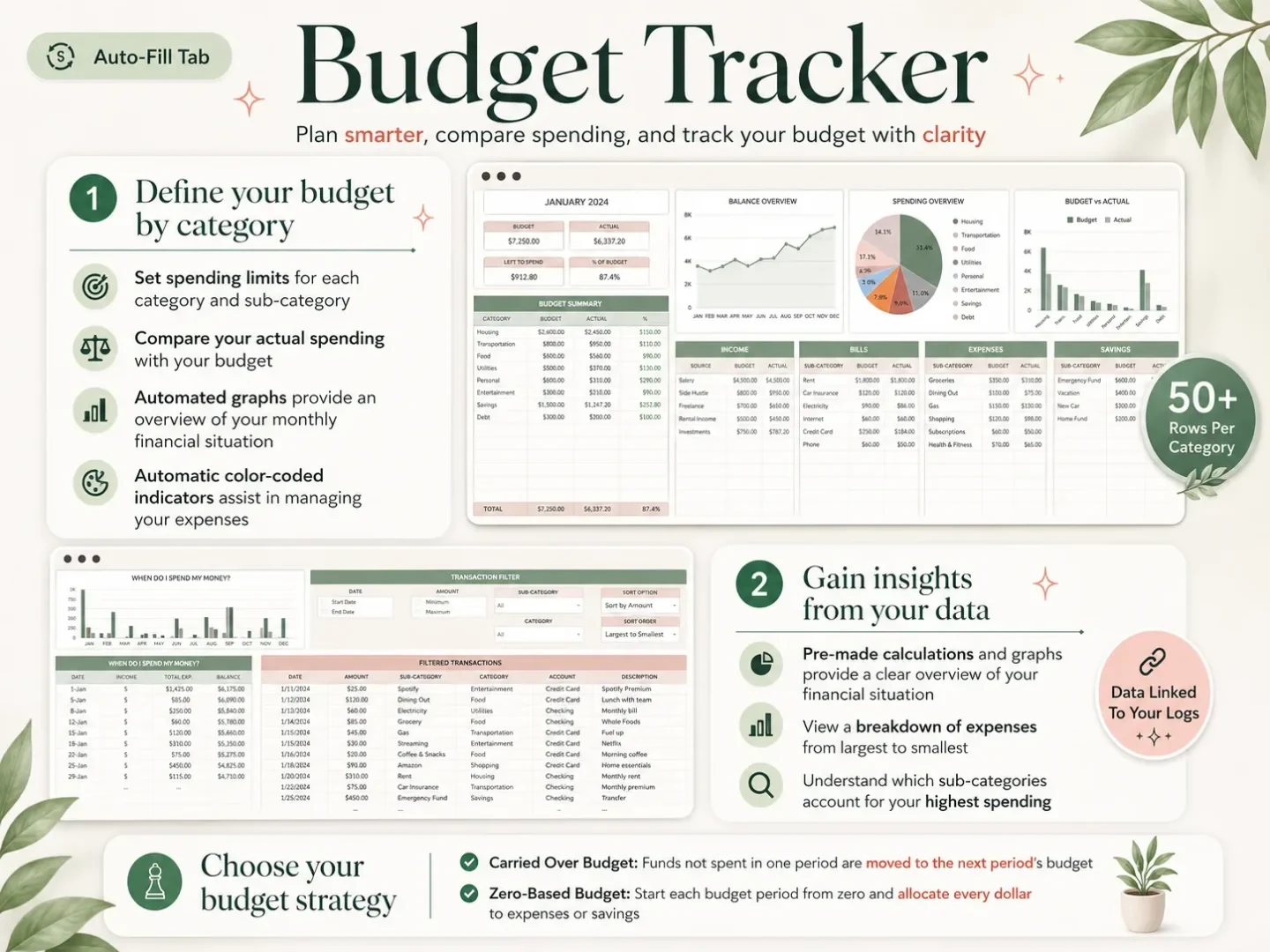
The monthly tracker screenshot shows the type of category comparison described here. It is a real product image, not a recreated example of a customer's finances.
Make a raise plan that leaves room for your own priorities
Use the amount that reaches your account, then assign it around bills and priorities you already have. The consumer.gov budgeting guide recommends listing income, bills, and other expenses, then comparing them. You can apply that same process when income changes.
- Write down the new deposit. Check the amount and date on your pay stub. If you are paid on different dates, note when the new amount first arrives and whether it covers a full pay period.
- List the bills that changed. Include any new premiums, housing costs, childcare, commuting costs, or recurring services. Keep required changes separate from optional upgrades.
- Choose what the increase should do. Some readers may prioritize a savings goal; others may have a near-term bill or prefer more flexible spending. Make a plan that matches your circumstances.
- Set a limit for a chosen upgrade. Use the full recurring cost, not only a first-month offer or one-time fee. If the cost is annual, write down the due date and amount.
- Compare plan with actual spending. At the end of the month, check whether the deposit and category amounts matched your assumptions. Update the plan if a cost was different or a need changed.
This check can be short. A monthly review gives you a chance to notice the difference between “I want to spend more on this” and “I am spending more here without meaning to.” A budget spreadsheet for tracking a new monthly plan can keep the revised categories together. It can also confirm that a new expense is worthwhile. You do not need to reverse every change just because it followed a raise.
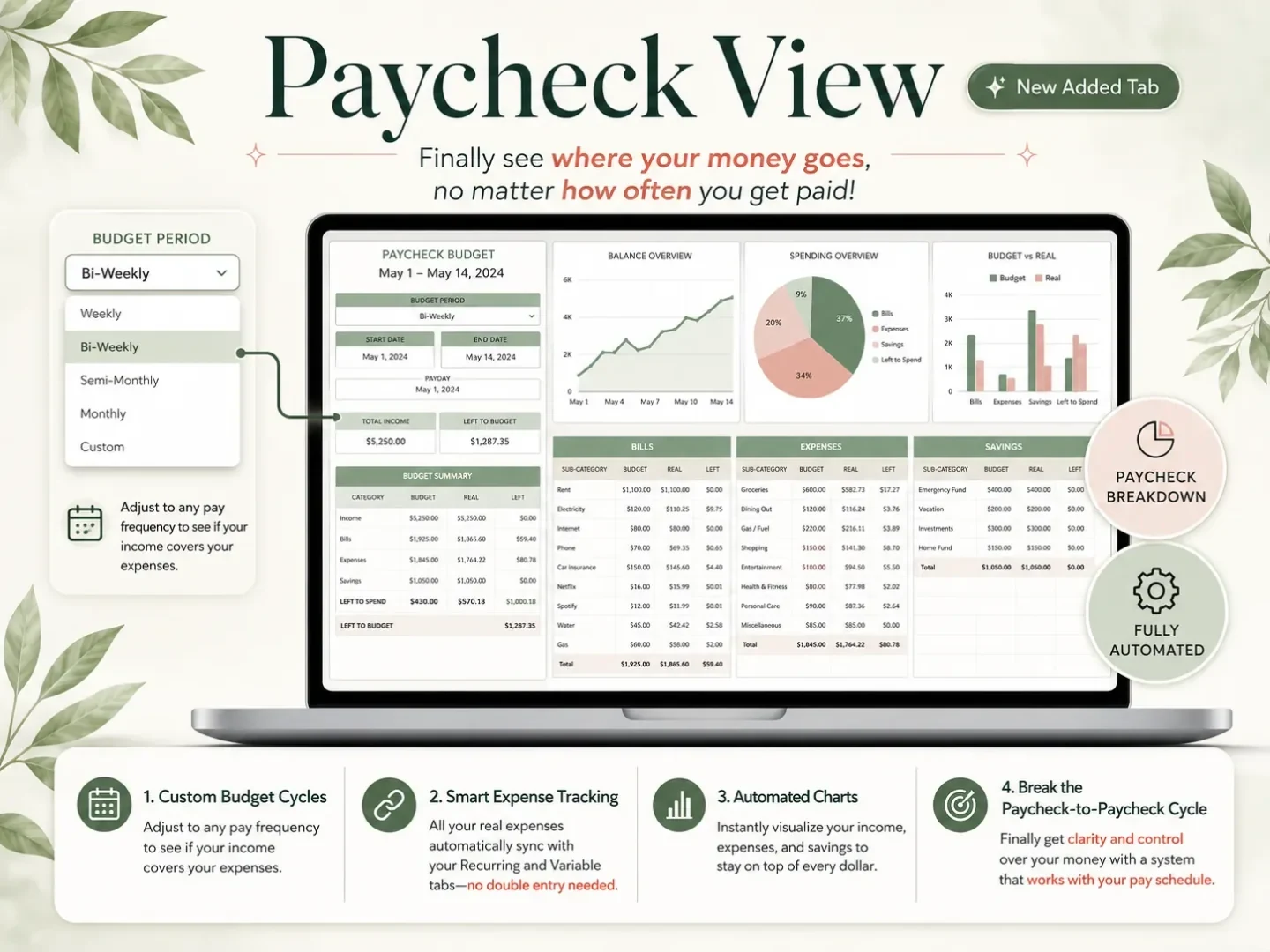
The paycheck view is a real product screenshot. It can help keep deposit timing beside the budget lines that each check needs to cover.
For a recurring bill, compare its current amount with the prior amount and include the difference in your monthly plan. For a variable category, compare totals and frequency. If a subscription changed from annual to monthly, check the full-year cost as well as the monthly charge. Small numbers can have a larger total when repeated.
Use a monthly check to keep the plan current
A monthly tab helps you check whether spending changed after the raise or whether that month simply had more bills. Review the month after its bills clear. Compare planned and actual amounts, then note the reason for each difference. Your next plan will be based on those entries instead of memory.
The check can use three columns: previous amount, current amount, and reason for the change. Add a fourth column for your decision: keep, change, or review again next month. If a cost is new, mark whether it repeats. If it varies, compare more than one month before setting a new baseline.
You can also use the check to stop changes that no longer make sense. A free trial may have converted to a paid plan. A delivery habit may have outlasted a busy period. A higher bill may be correct but should be placed in the month when it is due. These are different cases, even if each looks like “spending went up.”
The Federal Reserve’s 2024 report separates emergency savings from how people might cover an unexpected expense. The report is descriptive, not individual guidance. For a personal budget, use your actual bills, deposit dates, and goals rather than treating a survey percentage as a rule.
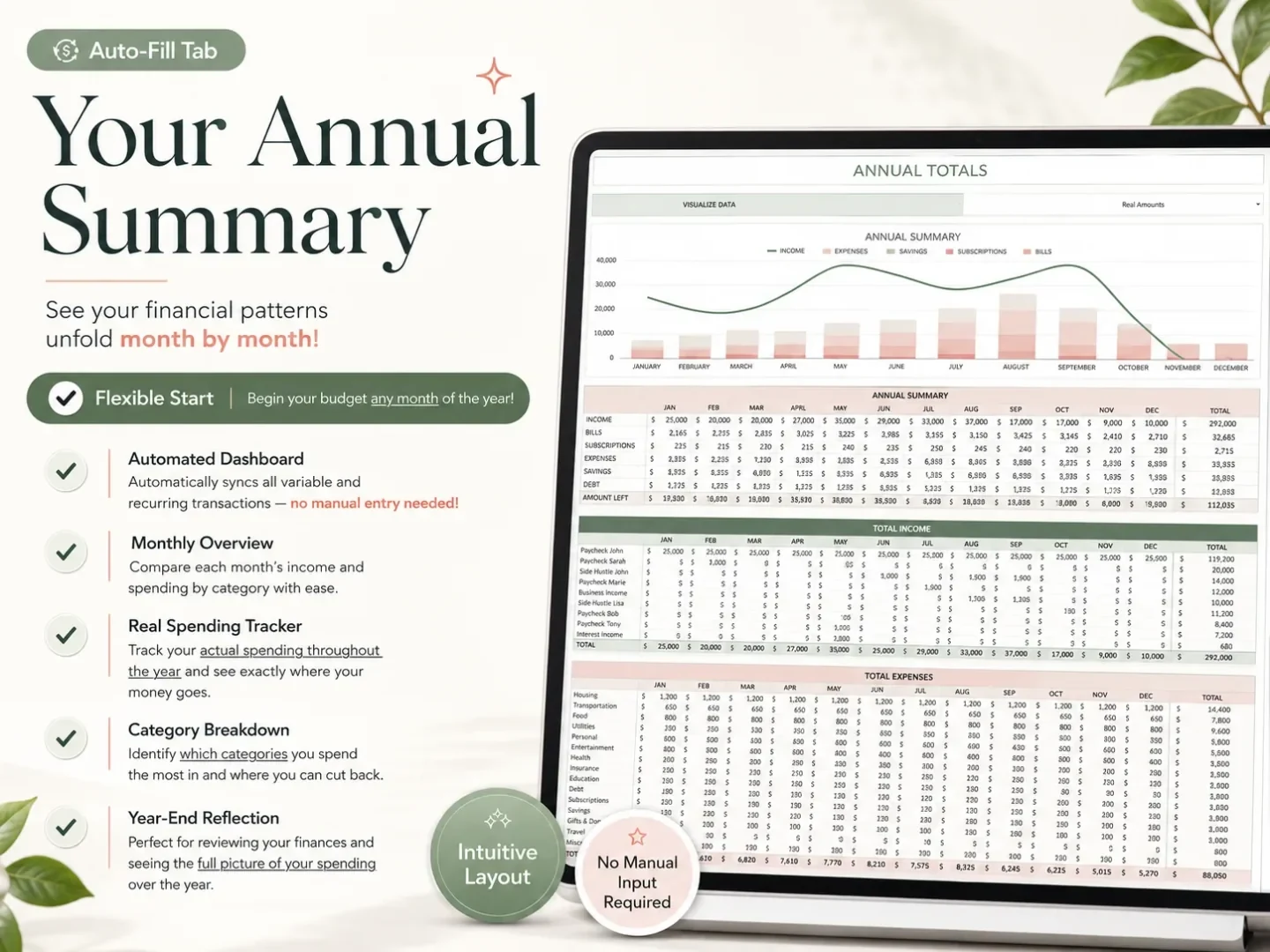
The annual summary screenshot supports a longer view after you have recorded transactions. A one-month change can be temporary; a year view can make repeated costs easier to see.
Why Trust This Article
Cosmo Suite makes the Ultimate Budget Planner. The examples above are illustrative, and the $300 raise split is arithmetic for one hypothetical month, not a recommended allocation. The Federal Reserve figure comes from its Survey of Household Economics and Decisionmaking for 2024. The consumer.gov budgeting steps are linked to the U.S. government guide. See the About page and editorial policy for publisher and review information. This article covers budgeting mechanics and does not provide financial advice.
Where the Ultimate Budget Planner Fits
The Ultimate Budget Planner is a spreadsheet with 28 tabs across four sections, in Excel and Google Sheets. Its monthly tabs, transaction list, and paycheck dashboard can put planned categories, actual spending, and pay timing in one file. It can be reused each year and has no subscription.
Transactions still need to be entered or pasted by you. If automatic bank syncing is important, an app may fit better. If you prefer a spreadsheet, the Ultimate Budget Planner workbook gives you a ready-made budget layout to review after a raise. Use the categories and pay dates that match your own household.
You can also make your own tracking sheet. The important part is keeping the same categories from month to month, so a raise does not hide new recurring costs inside a larger total.
Frequently asked questions
What is lifestyle inflation?
Lifestyle inflation is when spending rises as income rises. It can happen through regular upgrades, such as a larger rent payment, more meals out, or extra subscriptions. The increase may be gradual, so compare your current spending with the months before the raise.
What are common examples of lifestyle inflation?
Examples include moving to a more expensive home, replacing a working car with a higher payment, ordering takeout more often, or adding subscriptions. A higher cost is not automatically a problem. Check whether it is a choice that fits your new budget.
How can I tell if a raise has disappeared into spending?
Compare take-home pay and category totals from before and after the raise. If income rose but your planned savings or remaining cash did not, list new recurring payments and changes in how often you spend. Separate those changes from price increases or new needs.
How do I avoid lifestyle inflation after a raise?
Before changing regular spending, write down the new take-home amount and the bills it must cover. Then choose amounts for goals, planned upgrades, and flexible spending. Review the next month's actual costs against that plan and adjust the categories that changed.
Is it bad to spend more after getting a raise?
No. A raise can support a more comfortable choice. Decide which upgrade matters to you and include its full recurring cost in the budget. The check is whether the choice fits alongside your bills and other priorities, not whether every extra dollar must be saved.
Should I save all of my raise?
There is no single split that fits everyone. A raise can be divided among savings goals, bills, and spending based on your current needs. Use take-home pay rather than the gross salary change, because deductions affect the amount that reaches your account.
Sources
Keep reading
Budgeting Basics
How to Stop Living Paycheck to Paycheck: A 30-Day Plan
How to stop living paycheck to paycheck: map paydays, assign bills to each check, and build a first-month cash buffer with a realistic cash-flow plan.
· 9 min read
Budgeting Basics
How to Save Money on Groceries: 12 Changes to Try
Try 12 practical grocery changes, estimate their weekly dollar impact from your own receipts, and track what works for your household.
· 10 min read
